Source Control alongside your code
Open Source Control with Ctrl+Shift+G, the terminal-safe Ctrl+Alt+G, or Focus Git Panel in the palette. The accordion groups staged, changed, and untracked files.
| While Source Control has focus | Action |
|---|---|
| s | Stage selected file |
| Shift+S | Stage all |
| u | Unstage selected file |
| d | Discard selected changes |
| Enter | Open diff |
| o | Open file |
| c | Commit |
| r | Refresh |
Review a change
Open a file's diff to review unified or split layouts. Diff tabs have a shared action bar, navigation, and staging controls. Arrange a diff beside its source in another main pane to keep both views available.
Check the selected file and operation before discarding changes. Destructive Git actions request explicit confirmation.
Follow history
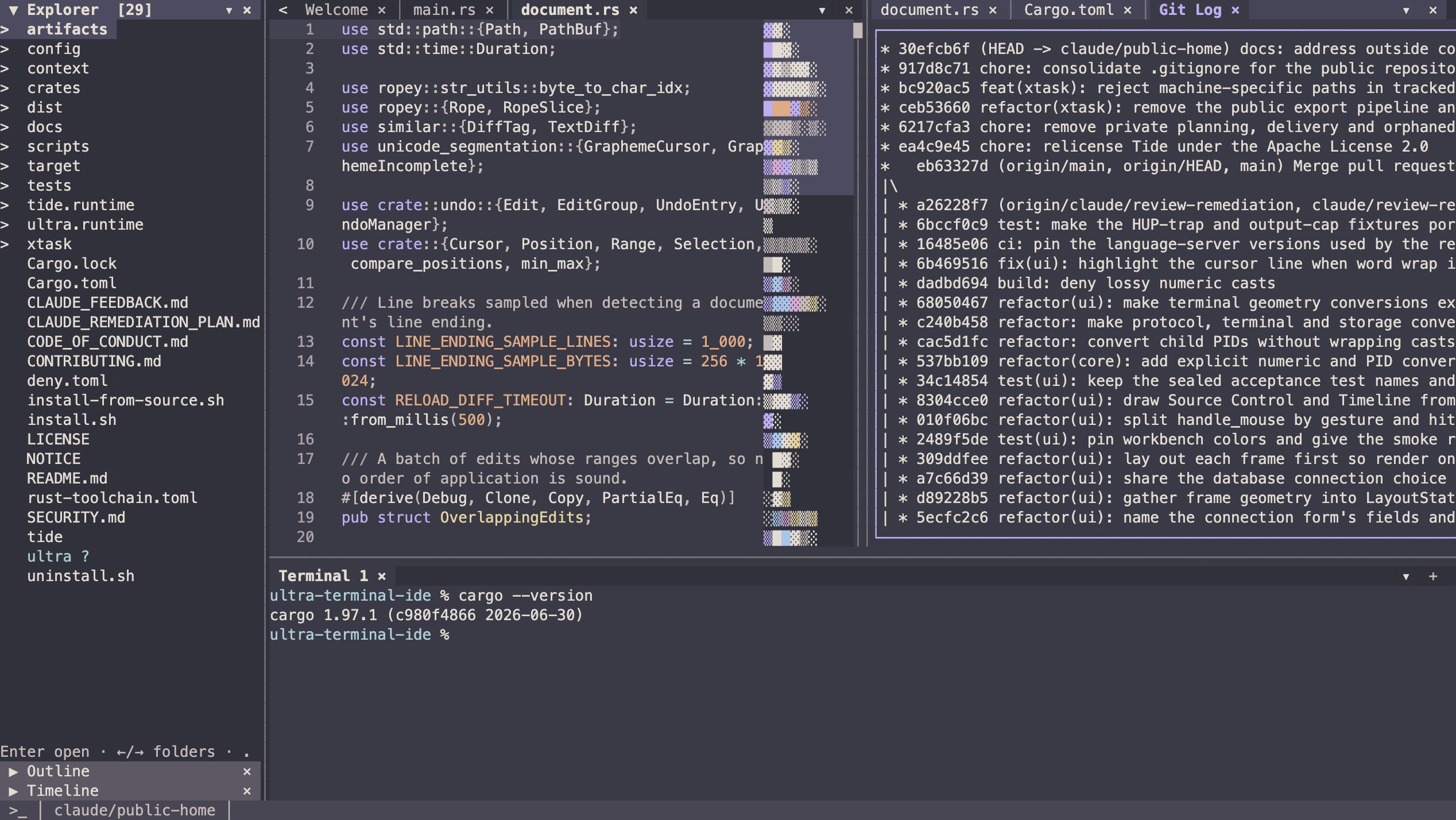
Timeline switches between file and repository history. It can open historical diffs, open a file at a commit, and copy a commit hash. Use Focus Timeline from the palette or Ctrl+Alt+L.
Within Timeline, Enter opens a diff, o opens the historical file, y copies its commit hash, and Tab changes mode.
Repository operations
Use the command palette for status, commit, push, pull, fetch, stashes, branches, tags, merge, rebase, conflicts, remotes, checkout, cherry-pick, revert, reset, and clean. Review the selected branch and operation before confirming changes.
Tide uses your local Git CLI. Remote authentication and credentials remain owned by Git and your environment.